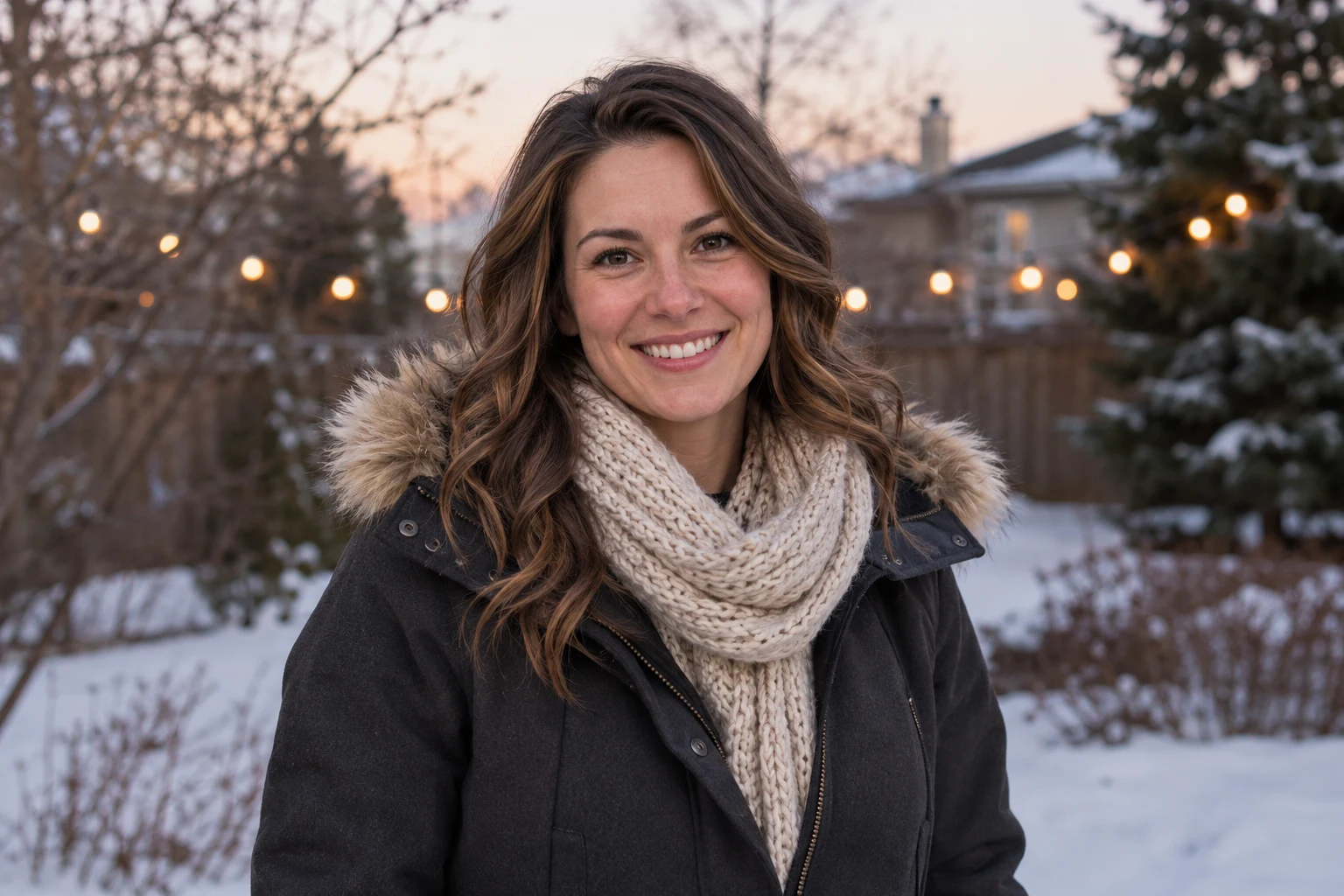
A portrait taken beside holiday lights can bring back the feeling of a winter evening in Calgary. The little circles of light set the scene, while a clear expression gives you a reason to keep looking. Before choosing the photo for canvas, compare the face and the lights separately. A bright, festive background can make a slightly blurred face easy to miss on a small screen.
Start with two or three frames from the same moment. Look at the person’s eyes at a normal viewing size, then zoom in briefly to check focus. Choose the expression you like in a frame where the important facial details remain clear. Keep the original file so you can compare any edits with it later.
In this guide
Give the background lights room
If you can take another portrait, try moving the person farther from the lights while keeping them in a comfortable, well-lit spot. Leave the lights behind the person rather than directly beside their face. Look through the camera again and check whether a bulb sits against an ear or the top of the head.
With a camera that offers aperture control, a wider aperture can help soften a distant background. Check both eyes after changing it, especially when the person turns their head. Nikon’s guide to the holiday-light bokeh effect explains how aperture and the distance between the subject and lights affect that blur.
On a phone, try the regular camera as well as any portrait mode you normally use. Compare the hair and scarf edges in the resulting files. Keep the version where fine strands and gaps look natural. A little less background blur can still make an appealing portrait.
Check the brightest parts before brightening the face
A pale face and a few bright bulbs can coexist comfortably in a photo, but turning up overall brightness may make the lights dominate. Look at the cheeks, forehead and the area around each bulb after every adjustment. Keep visible skin texture and watch for a bright halo that grows larger as you edit.
If you take the photo at dusk, the remaining sky light may help show the face while the decorative lights are already visible. Choose a safe place to stand and check the face before asking the person to hold the pose. The Calgary window-light portrait guide also has ideas for finding soft light when you prefer an indoor photograph.
Try the final shape before choosing a canvas size
Put the preferred photo into the shape you want to print. A tighter crop may bring the expression forward, but check that it leaves some of the lights and the outline of the scarf. In a wider version, look for bright decorations near the corners that pull your attention away from the person.
Inspect the front area and edge treatment in the canvas preview. Leave comfortable space around the hair and shoulders when those details matter. Then view the whole composition at a smaller size once more. If you notice the person’s expression first and the lights give it a setting, you have a good photograph to carry onto the wall.